
The 168-hour lab
Your lab operates 168 hours a week. Your team is there for about 50
The other 118 hours still shape sample integrity, equipment health, safety, and compliance. iLabService keeps physical signals, response, and evidence connected while the lab keeps running.
Weekly coverage map
Mon-Sun · 24h/day
Mon
Tue
Wed
Thu
Fri
Sat
Sun
Selected operating record
Saturday 02:14 freezer threshold breach
Freezer temperature crossed the -70°C threshold and remained outside range for 12 minutes.
Signal type
Cold storage
All signals remain visible across the full operating week.
The other 118 hours
Operational risk does not wait for staffed hours
Small physical changes become expensive when they are discovered without timing, ownership, or response context.
A freezer door closes, but recovery takes longer than normal
Door state, temperature trend, and compressor behavior remain attached to the same asset record.
Temperature crosses the configured limit
The event carries the earlier compressor warning, affected storage context, and alert route.
No acknowledgement triggers the backup owner
Notification, acknowledgement, inspection, and corrective action are tracked as one response history.
QA opens a record instead of rebuilding the weekend
The timeline is already organized for review, follow-up, and export as an evidence packet.
One event, one connected record
What can you prove by Monday morning?
Compare a familiar manual reconstruction with an automatically assembled operating record.
Friday night test
From first warning to review-ready evidence
Door activity and a slow freezer recovery pattern are recorded.
The temperature threshold is breached and the primary owner is notified.
The event escalates after no acknowledgement.
A technician acknowledges the alert and begins inspection.
QA reviews the connected event timeline and follow-up status.
Manual reconstruction
- Export the temperature log
- Search chat and email for acknowledgement
- Ask facilities who inspected the freezer
- Rebuild corrective action and sample impact
Monday stateFragments to reconcile
The team spends review time finding the record before it can assess the event.
Automatically assembled
- Signal and compressor history stay time-aligned
- Alert routing and acknowledgement are attached
- Owner, inspection, and corrective action remain linked
- QA status and follow-up are visible in one record
Monday stateOne review-ready package
The physical signal, response, corrective action, and QA review status stay connected.
One event, four operating views
The same 168-hour record answers different questions
Each team sees the context it needs without creating a separate version of what happened.
Question
What changed, who owns it, and is the lab back in control?
Asset state, room conditions, alert route, acknowledgement, service history, and open actions.
Escalate the right owner, coordinate inspection, and close the event with evidence.
Question
Can the event be reviewed without reconstructing the source record?
Contemporaneous signals, audit history, response ownership, corrective action, and review state.
Assess the deviation, request follow-up, and export the evidence package.
Question
Did a safety signal reach the right person before exposure increased?
Gas, oxygen, access, occupancy, alert thresholds, response route, and near-miss context.
Coordinate local response and preserve a reportable incident history.
Question
Did physical conditions change during the experiment or storage window?
Temperature, humidity, CO2, door disturbance, equipment state, storage exposure, and operator actions.
Compare runs, investigate failure factors, and preserve methods-ready context.
Product proof
Proof, not another platform promise
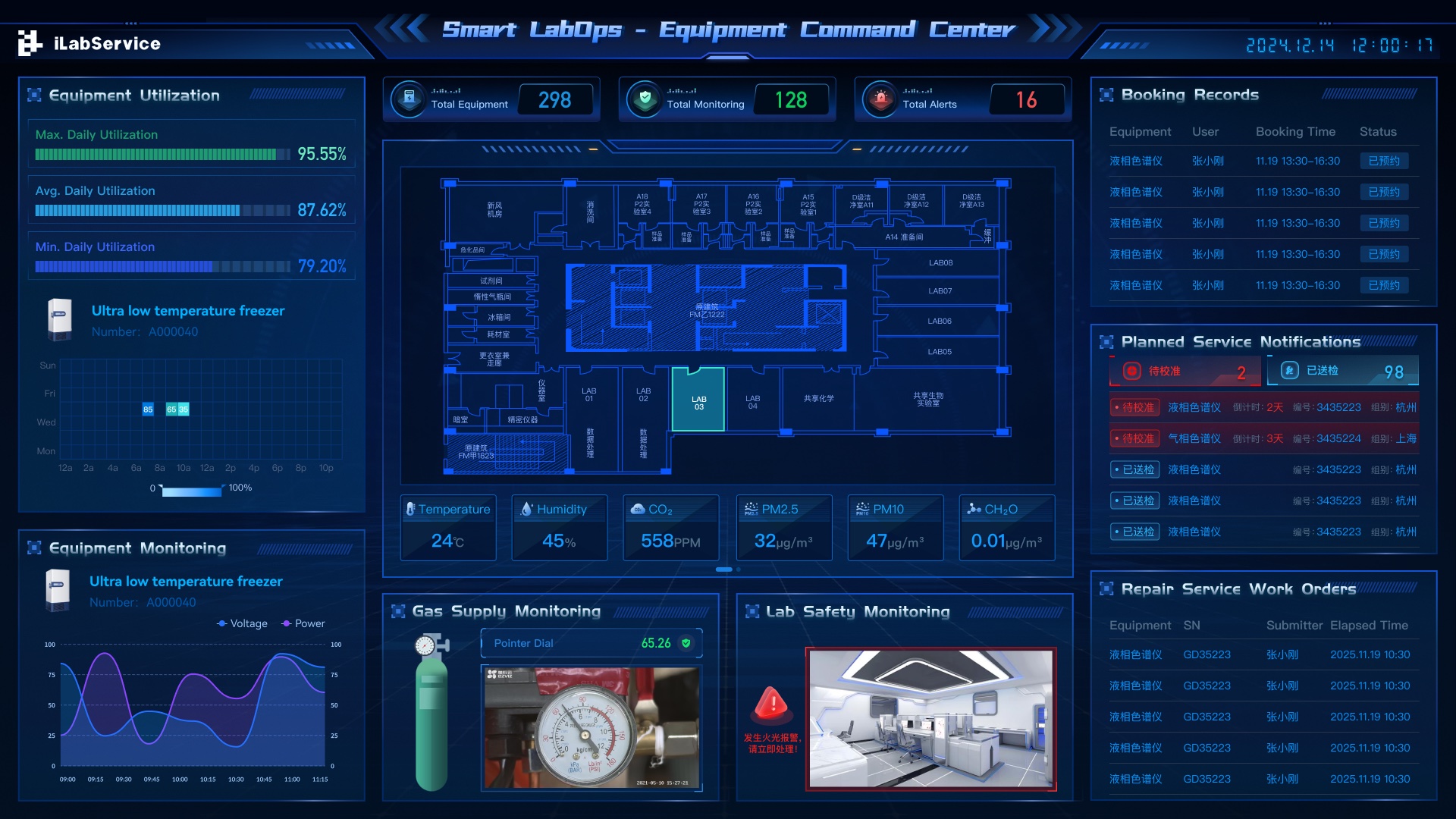
Open the operating interface, inspect a sample event package, and review how security, validation, and integration are handled before a pilot begins.
168-hour exposure review
See where the other 118 hours create operational risk
Start with one room, asset class, or workflow where an overnight event would matter. Map the signals, owners, response route, and evidence needed to prove control.